PIXELFORGE STUDIO
⚡ PixelForge Studio — Cyberpunk AI & Web Editor v2.0 ⚡
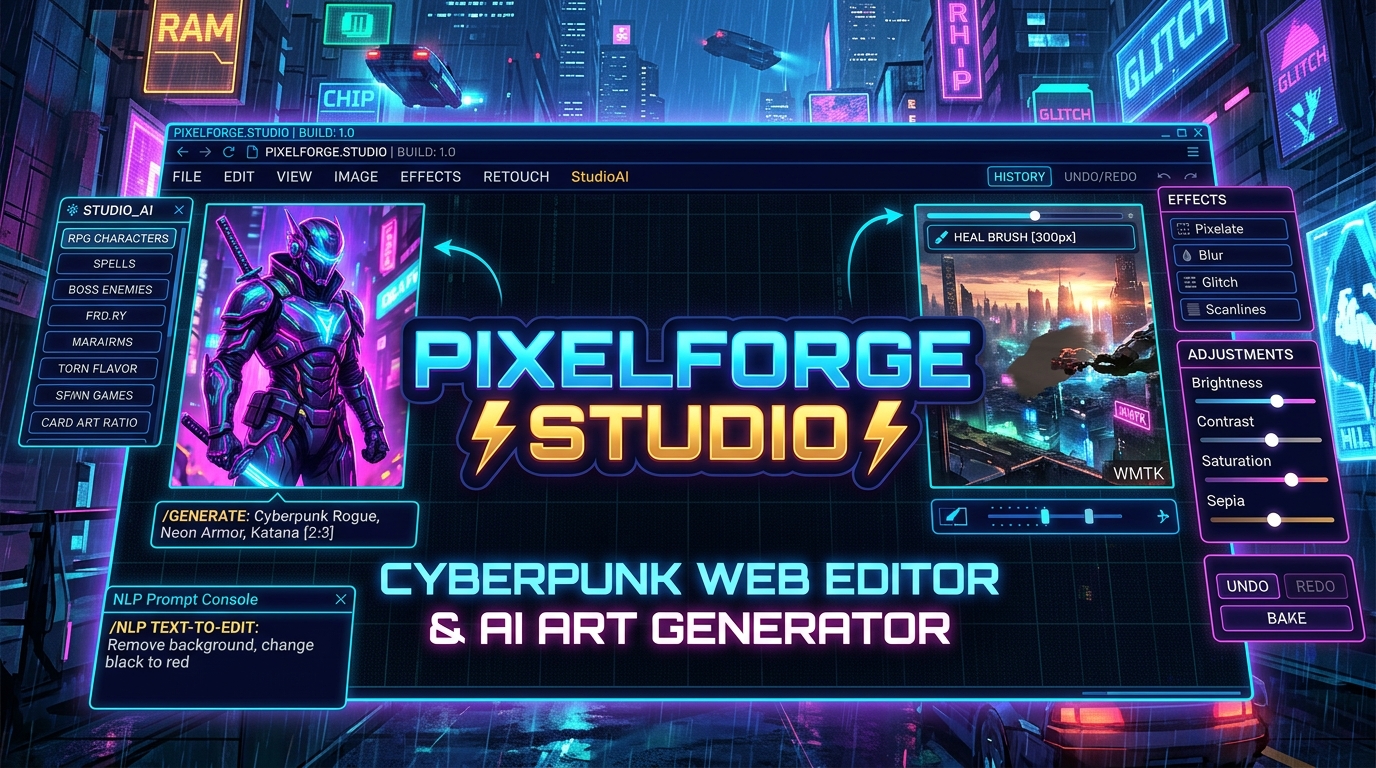
Welcome to the ultimate lightweight, browser-based image editor and AI art generator. Wrapped in a sleek, neon-drenched Cyberpunk HUD interface, PixelForge Studio runs entirely in your browser with ZERO installation, ZERO downloads, and ZERO backend servers.
Whether you are a game developer creating assets for your roguelike deckbuilder, a digital artist looking for quick AI generation, or just someone wanting to quickly edit a photo—PixelForge Studio has the tools you need.
🚀 INSANE NEW FEATURES (THE v2.0 UPDATE)
This massive update brings full control over the AI and the editing tools.
- 🎨 BRAND NEW AI STYLE SELECTOR: You now have total control over the art style! Choose from Photorealistic, Game Art, Anime, 3D Render, Pixel Art, or Cyberpunk. Just select your style, type your prompt, and watch the magic happen.
- 🛡️ UNLIMITED HD AI GENERATION:* Powered by an advanced fallback system. If the main server is busy, it automatically tries backup servers. Includes a dedicated Retry Button for endless generation potential! Supports 1080p Landscape, Portrait, Square, and perfect 2:3 Card Art ratios.
- ✨ MASSIVE CONTENT-AWARE ERASER: AI sometimes adds text or watermarks you don't want. Our Heal Brush is a true content-aware tool. It analyzes the surrounding pixels to reconstruct the background so text disappears perfectly. (Pro tip: Max out the size slider to 300px to wipe out large text in one click!)
- 🧠 NLP Prompt Console (Text-to-Edit): Don't want to click sliders? Just type commands into the console to instantly edit your image locally:
change black to red(Color swapping)remove white background(Instant Chroma Key)desaturate green(Selective color removal)make it cyan(Global tinting)
- 🃏 GAME DEV ASSET PRESETS: One-click prompt presets built specifically for game devs! Instantly generate Characters, Spells, Items, and Boss Enemies tailored for RPGs, Roguelikes, and Card Games.
🎨 FULL IMAGE EDITING SUITE
Built for speed, precision, and total control.
- 🖌️ Precision Painting Tools: Custom Brush, Eraser, Eyedropper, and Move tools. Adjust the Size (up to a massive 300px), Opacity, and Hardness on the fly.
- 🎛️ 20+ Destructive Effects: Turn your images into masterpieces with one click. Includes: Invert, Grayscale, Sepia, Sharpen, Blur, Pixelate, Emboss, Edge Detection, Film Grain, Vignette, Posterize, Threshold, Solarize, Warm/Cool Tones, Glitch, Scanlines, and Duotone.
- ⚙️ Live Adjustment Sliders: Fine-tune Brightness, Contrast, Saturation, Blur, Sepia, and Hue Shift. Don't like it? Hit "Reset" or apply the changes permanently with "Bake".
- 🔄 Transformations: Rotate 90° left/right, Flip Horizontal, Flip Vertical.
- 🖼️ Canvas Controls: Zoom in, zoom out, fit to screen, and actual size (100%) viewing.
🛠️ PRO WORKSPACE & MANAGEMENT
- Smart File Handling: Drag and drop your images directly onto the canvas, or use the file explorer. The canvas automatically resizes to fit your image perfectly.
- Undo/Redo History: Made a mistake? Hit
Ctrl+ZorCtrl+Y. The history stack is memory-capped so it won't crash your browser, even with massive 1080p+ images. - High-Quality Export: Export your final creations instantly as standard PNG or JPEG files.
🕹️ HOW TO USE IT
- Click "Run" to launch the editor.
- To Edit: Drag and drop an image onto the grid, or click
FILE > OPEN IMAGE. - To Generate: Click the glowing STUDIO_AI button in the bottom right corner. Select a Style, pick an Aspect Ratio, type a prompt, and click Generate. Click the generated image to apply it to your canvas!
- To Erase Watermarks: Click
RETOUCH > ERASE WATERMARKat the top, increase the brush size slider, and rub over the text. The AI will erase it seamlessly.
🔒 Privacy: Everything runs locally in your browser. We don't store your images, and there is no login required.
Built with pure HTML, CSS, and vanilla JavaScript.
image-editor ai pixel-art tool cyberpunk game-assets card-game art generator roguelike
Leave a comment
Log in with itch.io to leave a comment.